
Wireless mic Mikme

There are plenty of portable audio recorders and microphones on the market, but Mikme goes a step beyond all of them. It's a compact wireless microphone that synchronizes with an iPhone app, allowing you to make quick mobile videos with high-quality sound. The only problem: It costs $500. That puts it out of reach for normal consumers, but it might be worth it for vloggers and people who need to make professional-sounding videos on the fly. And if you really care about audio quality, you're probably used to paying a premium for specialized gear.
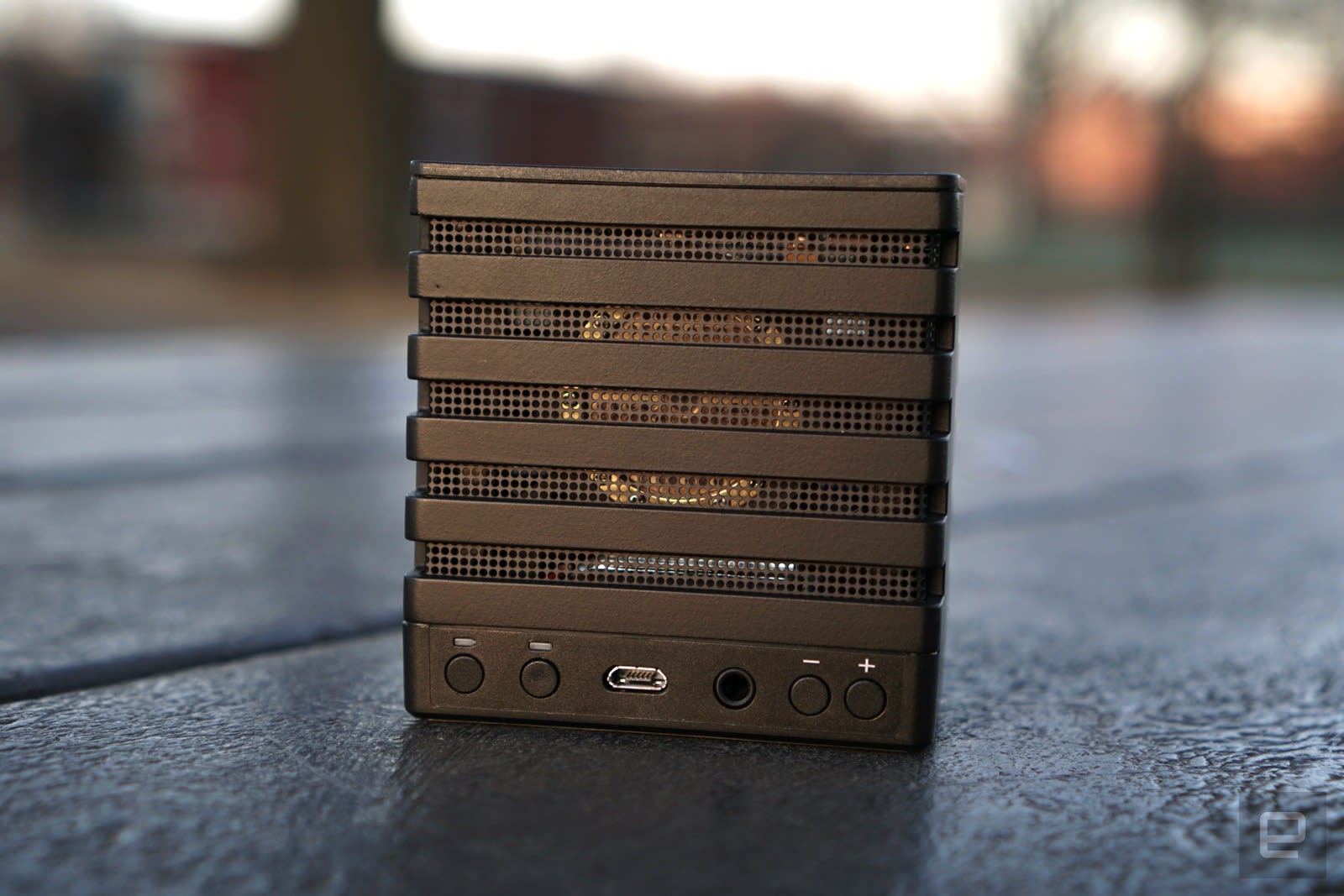
Mikme certainly feels premium, with its sturdy metal case and light weight. Inside its mesh housing, you can see its heart and soul: a 1-inch, gold-plated condenser capsule. That's in the same territory as expensive large diaphragm microphones, which are typically well suited to recording vocals and instruments. Mikme's capsule is also contained in spider suspension, which minimizes extra noise while you hold and walk around with it.
Naturally, it also works as a standalone recorder. It can capture up to 24-bit 96Khz audio on its own, but that quality gets bumped down to 44.1Khz when you're sending it to your phone. That's still CD quality, though, which makes it ideal for web video. Inside, it houses 16GB of storage and a battery that lets you record for three and a half hours.

Mikme's interface is relatively simple: Along the back, it has buttons for power and Bluetooth, a micro-USB charging port, a headphone jack for monitoring your recordings, and two buttons to control headphone volume and the microphone's gain. The big button on the top lets you start and stop recordings, as you've probably guessed.
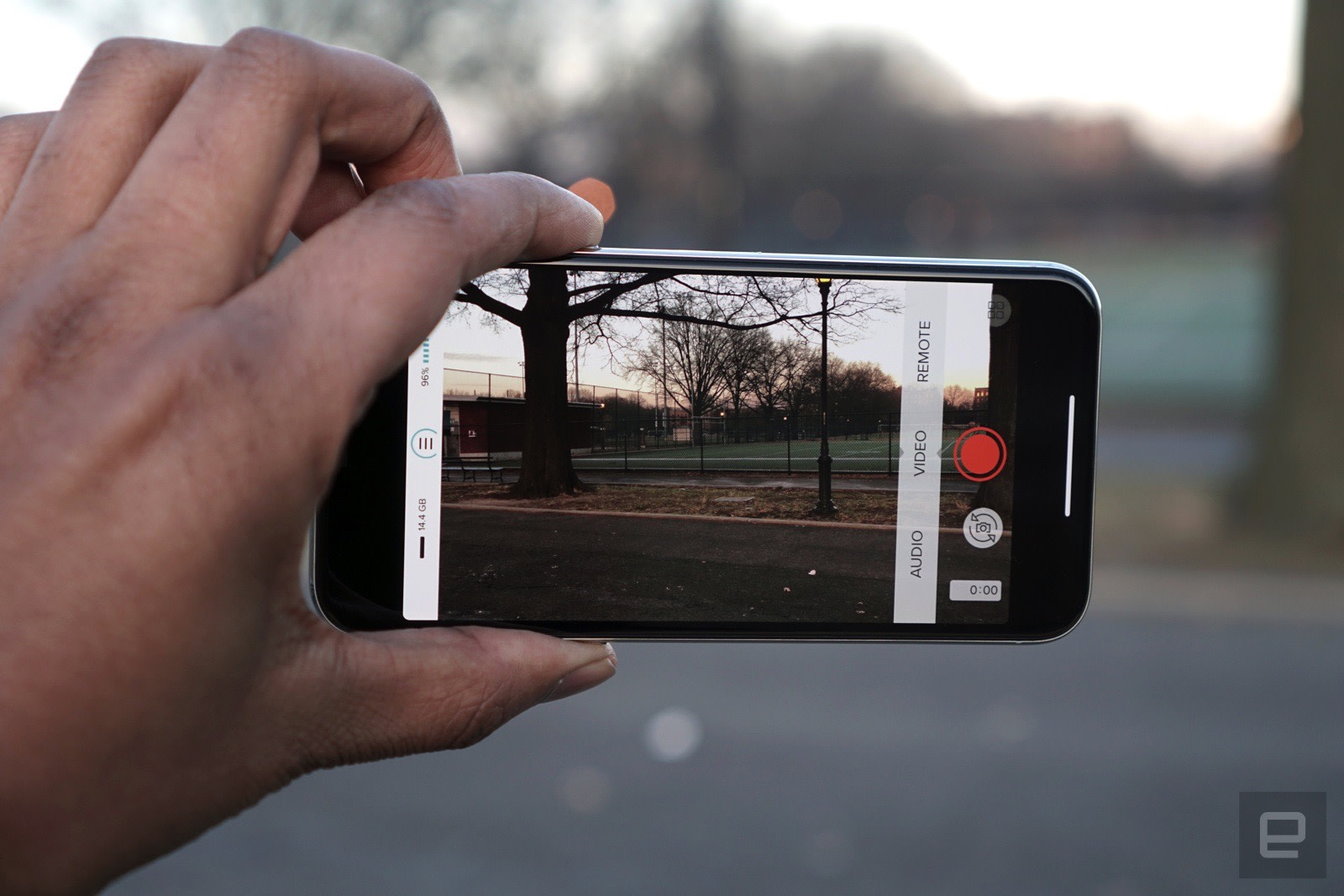
To use Mikme with your iPhone, you first have to connect it as a Bluetooth device. After that, the company's app will automatically recognize it. From there, you can trigger remote audio recordings on your Mikme or synchronize recordings that'll go to both your phone and the device. Then there's the app's most important feature: You can shoot a video using the Mikme as your source microphone. That's pretty straightforward. Just hit record and your phone will start capturing a video as usual, and the MikMe will also start recording.


Enregistrer un commentaire